
The party setting
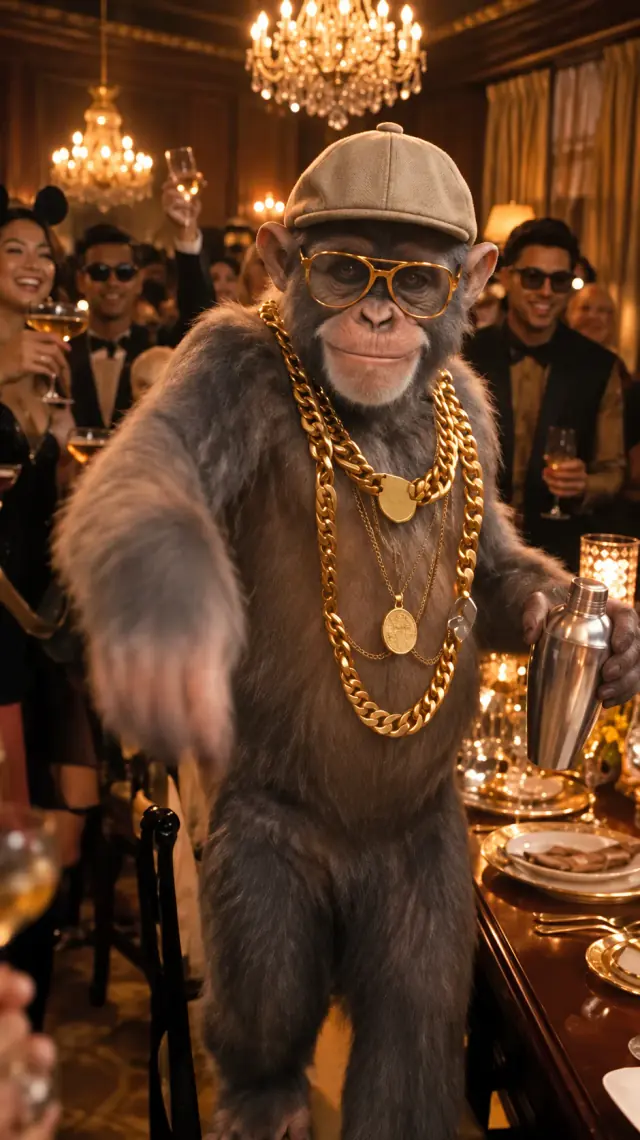
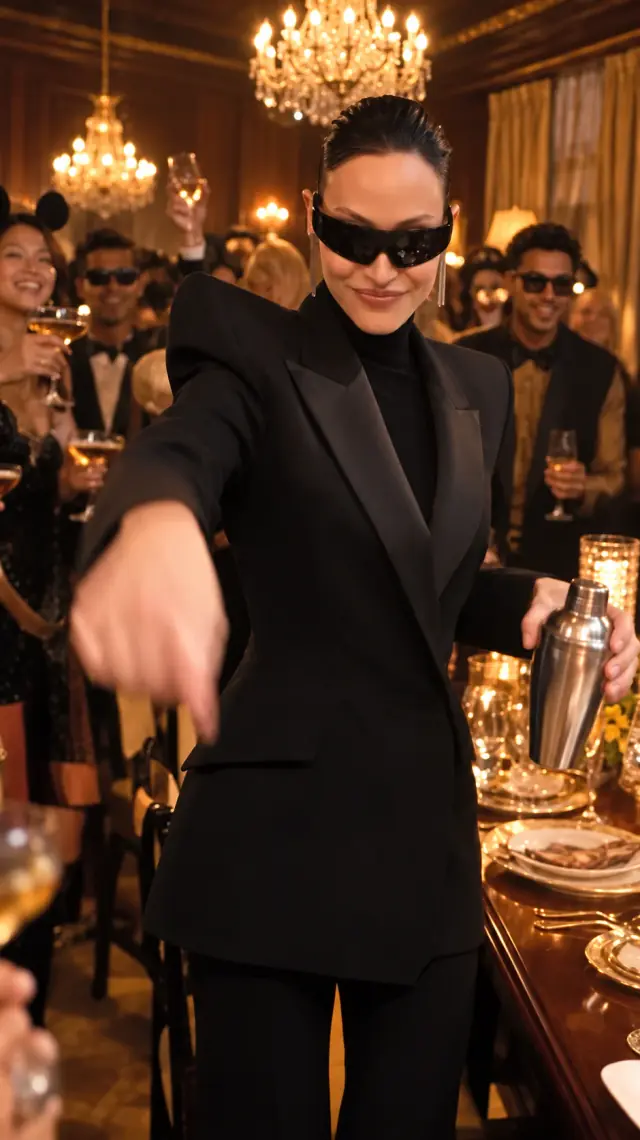
Warm indoor lighting, a dressed-up crowd and a lead performer facing the camera set the visual direction. The references guide the scene; generated details can change.
Your photo takes the lead in the Burning Bridges party template. Choose a model and length, then create a performance with synchronized music.
You, a friend, or an unexpected character.
100 credits 15 seconds · 720p MP4
View one-time credit packsYour download includes synchronized music.
 Example video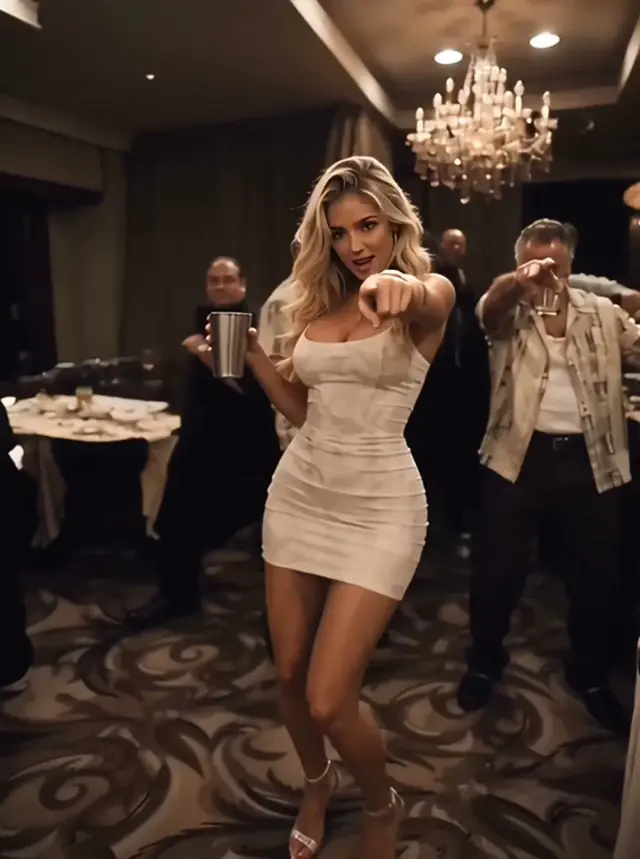
Same trend.
Your main character.
Burning Bridges AI is the specific party-performance format within the broaderDrake AI video trend. This page takes you directly to that template.
Warm indoor lighting, a dressed-up crowd and a lead performer facing the camera set the visual direction. The references guide the scene; generated details can change.
Prepared motion and audio references guide body movement, gestures and the performance rhythm. You do not need to record yourself dancing or upload another video.
One photo supplies the main subject’s identity. Start with a clear portrait for a personal edit, or try a pet or an original character for a more unexpected take.
Compare the whole performance, from the opening pose to the final gesture.
A portrait performance with warm lighting and a new lead subject.
An animal remix that changes the mood of the familiar party scene.
These are provided examples, not a live test of your photo. Their length and resolution may differ from current generations. Your result can vary.
The scene is prepared. Give the main performer a clear starting point.
Read the full tutorialUse one visible subject in a JPG, PNG or WebP image, at least 300 × 300 pixels and no larger than 10 MB. The width-to-height ratio must be between 0.4 and 2.5. Avoid a covered face or a busy group photo.
Use 9:16 for a vertical social clip or 16:9 for a wider frame. Select an available duration and review the displayed credit cost before generating. The same template works across the available models.
Sign in and submit when you are ready. Check the full result with sound, including the face, hands and final seconds, then download the MP4. You can revisit completed clips in My videos.
Buy credits once. Choose your model and length. No subscription.
100 credits · ≈ 1 song
≈ $9.90 / song
300 credits · ≈ 3 songs
≈ $6.63 / song
800 credits · ≈ 8 songs
≈ $3.74 / song
Secure checkout Pay once · Use across models
Full refund within 7 days if the entire purchased pack is unused. Consumed credits are generally non-refundable. Verified duplicate charges are refunded. Read our payment and refund terms and Privacy Policy before purchase. Applicable taxes and the final total are shown at checkout.
Song counts and prices per song assume Standard (Seedance 2.0 Mini) at 15 seconds (100 credits). Other models and lengths use more credits. Confirmed failed generations return the credits to your account. Downloads are 720p MP4s with synchronized audio.
| Model | 15s | 20s |
|---|---|---|
| Seedance 2.0 Mini | 100 | — |
| Seedance 2.0 | 200 | — |
| Seedance 2.5 | 300 | 400 |
It is a personalized party-performance clip inspired by the Burning Bridges video format. Your photo supplies the lead subject, while prepared references guide the scene, movement and soundtrack.
No. The template already includes the performance direction and references. Upload one photo; you do not need to download a template, film a dance or write a prompt.
The references guide the performance, but the result is a new AI-generated clip. Faces, clothing, background guests, movement and timing can vary. It is not a guaranteed frame-for-frame copy of the official music video.
Yes. The current models support 10- and 15-second clips, and Seedance 2.5 also supports 20 seconds. The generator shows the available lengths and credit cost for the selected model.
The personalized MP4 includes synchronized audio guided by the reference soundtrack. Review the sound and performance before sharing. This tool does not write a new song or offer a Drake voice-cloning editor.
You can try a single-subject pet or original character image. Unusual shapes and complex designs can be harder to interpret. The supplied examples show possible creative directions rather than guaranteed results.
Learn the steps, understand the trend and find the original sound.
Your first take, from choosing a photo to sharing with sound.
6 min readUnderstand the party scene, the AI remixes and your options.
4 min readFind the original, then separate the song from the AI video.
4 min readUpload one photo and put your subject at the center of the party.
Make my Burning Bridges video Find the original song and video

